Nextion display reference
The firmware provides a Nextion API that is universal (it doesn't strictly define pages or components placement on pages). This allows free design of HMIs.
Nextion API can be set in serial settings, any serial interface can be used for this.
Note
Only one interface can work in Nextion API mode.
Commands sent from Nextion Display to controller must be terminated with 0xFF 0xFF 0xFF. In Nextion editor encoding needs to be set to UTF-8.
Before connecting a Nextion display to the ESP32, check display datasheet for Output High Voltage. Intelligent series has 5V TX, but ESP32 supports only 3,3V (5V tolerant)! If the board design does not contain a logic level converter, use external voltatage divider.
Commands~
| Command | Description |
|---|---|
| sub \ |
Subscribe to variable |
| unsub \ |
Unsubscribe to variable |
| unsub | Unsubscribe to all variables |
| avail \ |
Set charging available value must be 0 or 1 |
| en \ |
Set charging enabled value must be 0 or 1 |
| chCur \ |
Set charging current in A*10 |
| consumLim \ |
Set consumption limit in Wh |
| chTimeLim \ |
Set charging time limit in s |
| uPowerLim \ |
Set under power limit in W |
| auth | Authorize to start charging when is pending |
| reboot | Reboot |
To access variables in Nextion display, they must be defined as component with objname (variable, text, number, dual-state button, slider, etc.) from following table. To receive variable value from ESP32-EVSE, subscribe to variable with sub command.
Variables~
| Variable | Description | Type |
|---|---|---|
| state | EVSE state (A, B1, B2, C1, C2, D1, D2, E, F) | string |
| en | Charging enabled (enabled=1, disabled=0) | number |
| err | Error bits | number |
| pendAuth | Pending authorization before start charging, when authorization is required (1 when pending otherwise 0) | number |
| limReach | Charging limit reached (1 when any charging limit reached otherwise 0) | number |
| maxChCur | Maximum charging current in A | number |
| chCur | Charging current in A*10 | number |
| defChCur | Default charging current in A*10 | number |
| sesTime | Session time in s | number |
| chTime | Charging time in s | number |
| power | Charging power in W | number |
| consum | Consumption in Wh | number |
| totConsum | Total consumption in Wh | number |
| vltL1 | L1 voltage in V*100 | number |
| vltL2 | L2 voltage in V*100 | number |
| vltL3 | L3 voltage in V*100 | number |
| curL1 | L1 current in V*100 | number |
| curL2 | L2 current in V*100 | number |
| curL3 | L3 current in V*100 | number |
| consumLim | Consumption limit in Wh | number |
| chTimeLim | Charging time limit in s | number |
| uPowerLim | Under power limit in W | number |
| defConsumLim | Default consumption limit in Wh | number |
| defChTimeLim | Default charging time limit in s | number |
| defUPowerLim | Default under power limit in W | number |
| devName | Device name | string |
| uptime | Uptime in s | number |
| temp | Temperature (highest, deprecated use high temperature) in dg.C*100 | number |
| loTemp | Low temperature in dg.C*100 | number |
| hiTemp | High temperature in dg.C*100 | number |
| ip | WiFi station IP address | string |
| appVer | App version | string |
| heap | Used heap size | number |
| maxHeap | Max heap size | number |
Simple example~
Controlling charging current and charging enabled~
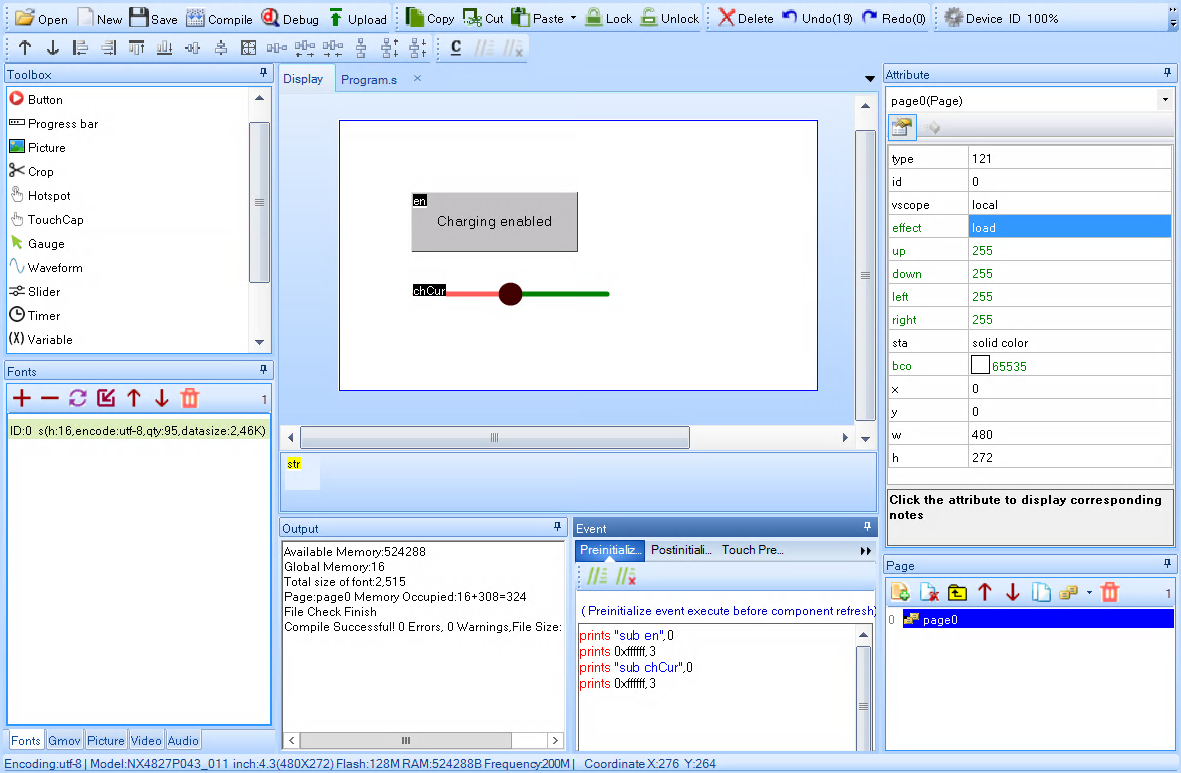
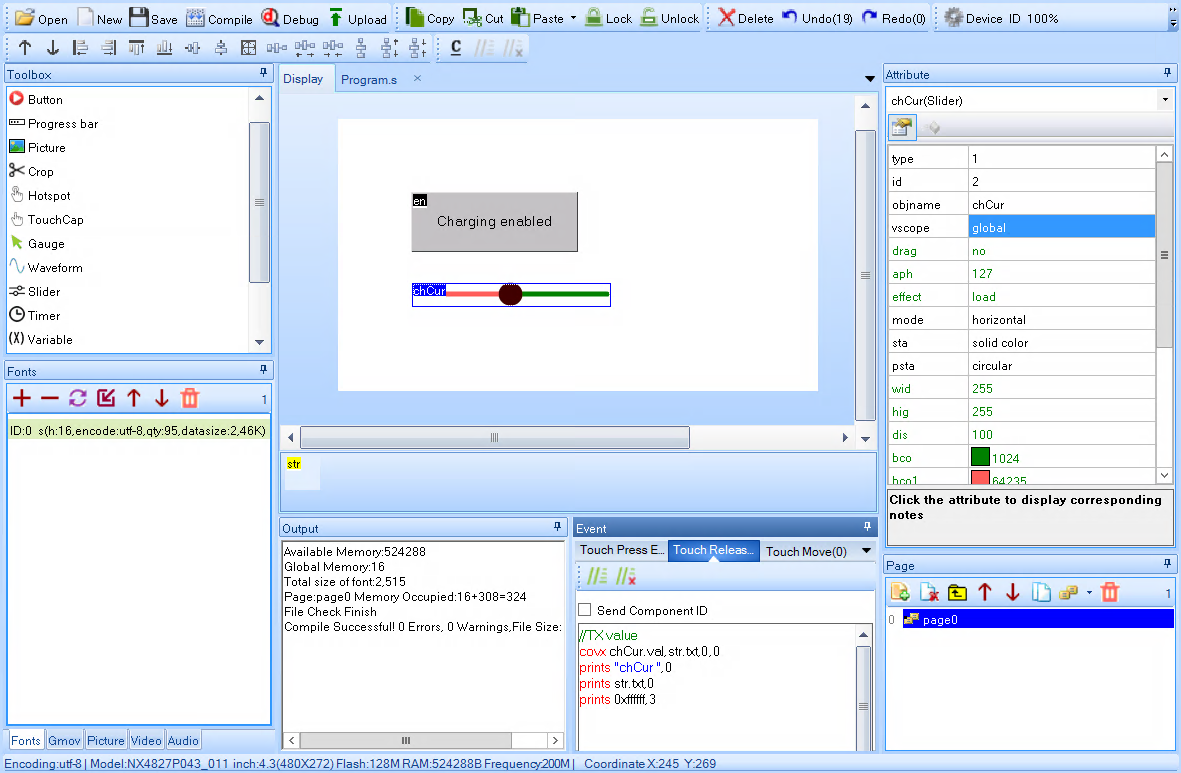
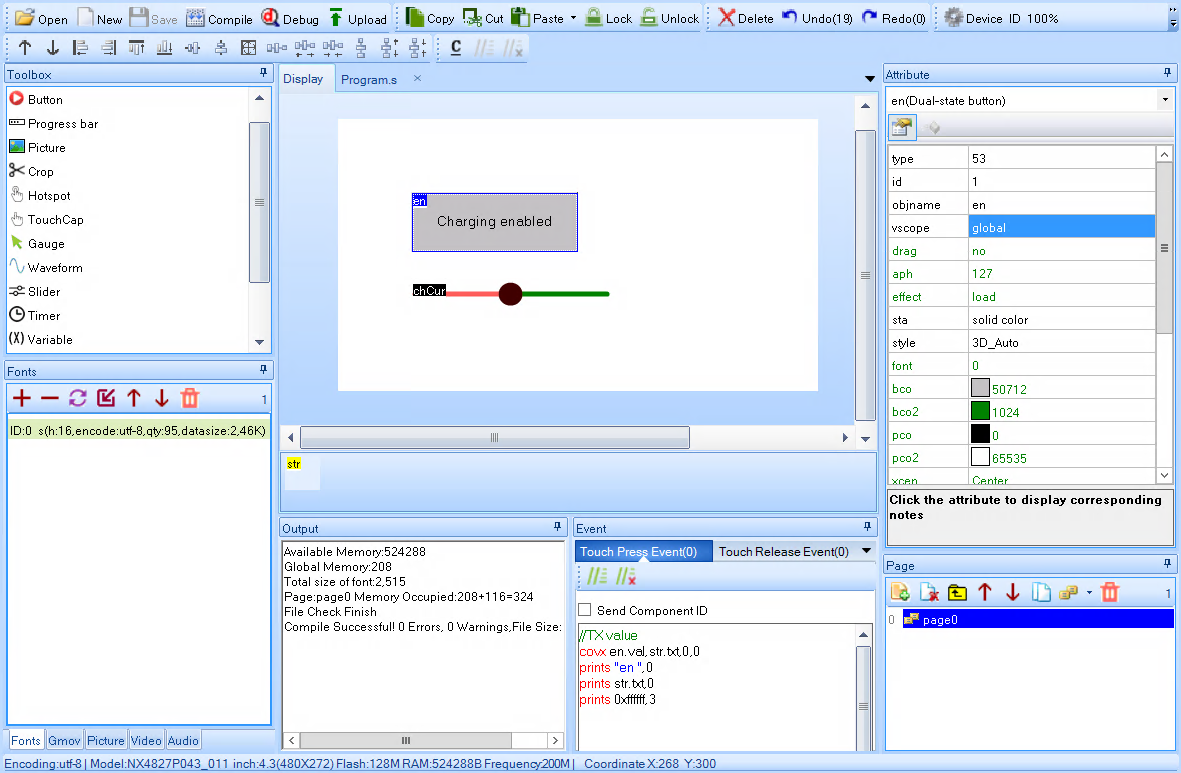
Define a dual-state button with objname en, slider with objname chCur and string variable with objname str.
Set page preinitialize event:
Set slider touch release event:
Set dual-state button touch press event:
Advanced example~
For an advanced example of HMI built with a Nextion display check out the esp32-evse-nextion repository.